
Configure the Chat Widget, QR Code, and Click to Chat Links to make it easy for customers to start a WhatsApp conversation from your website. Use Checkout Opt-in settings to collect customers’ WhatsApp numbers and manage their consent for receiving WhatsApp notifications during checkout.
Click-to-Chat Link
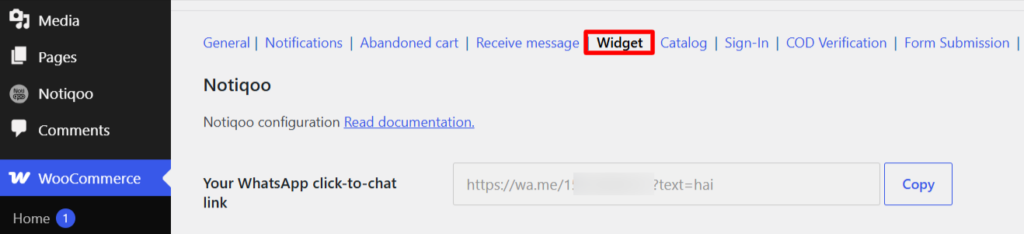
Copy the generated WhatsApp Click-to-Chat link and place it anywhere on your website. Customers can click the link to start a direct WhatsApp conversation with your business.
QR Code
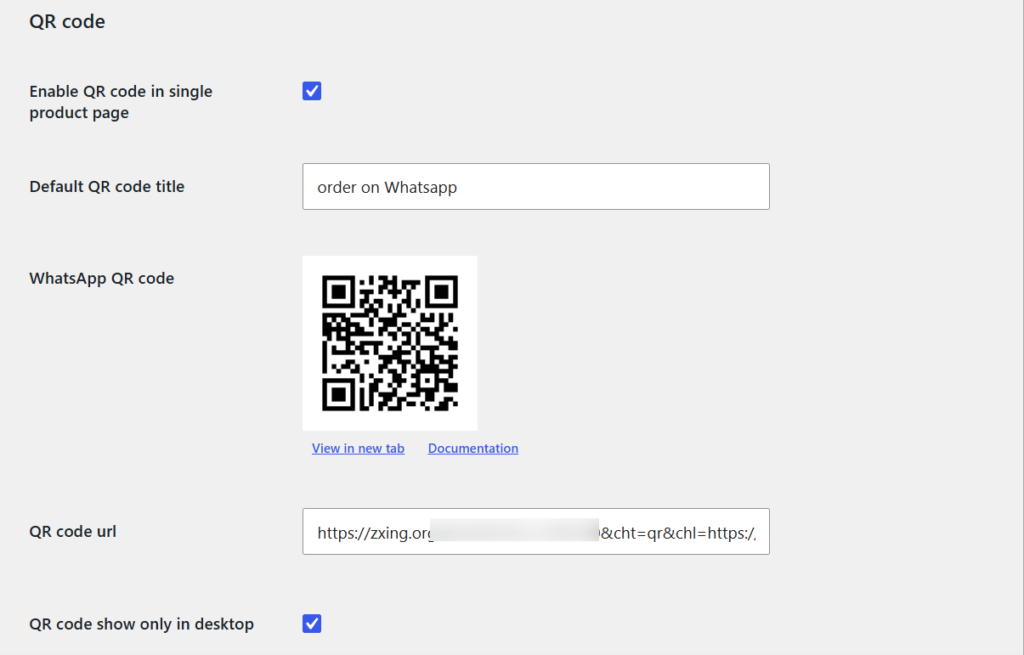
Enable the QR code to display it on your single product pages, or use the generated QR code URL to place it anywhere on your website. Customers can scan the QR code to start a WhatsApp conversation.
WhatsApp Chat Widget
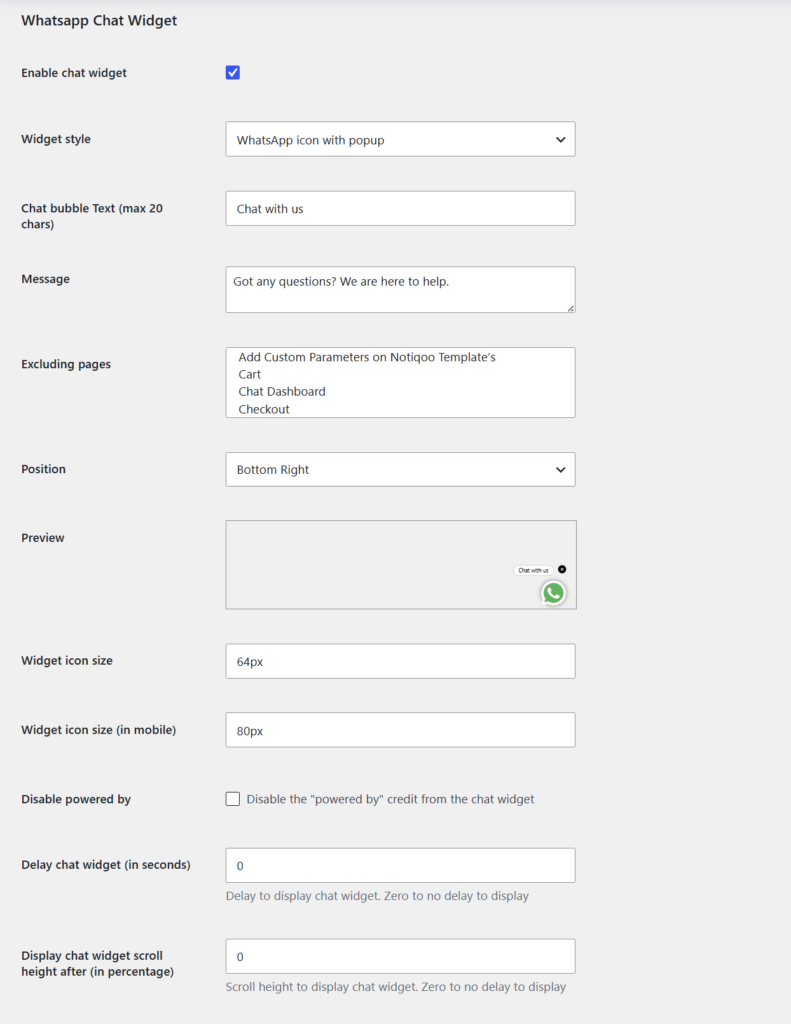
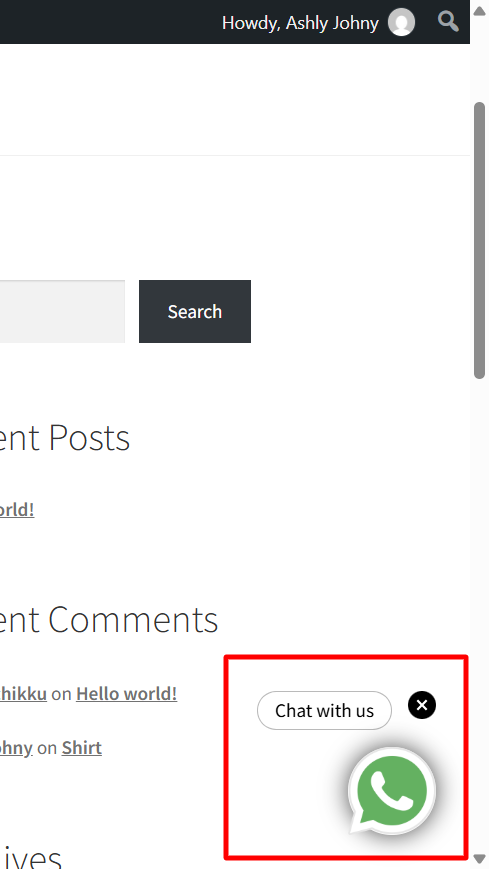
Add a WhatsApp Chat Widget to your website so visitors can quickly connect with your business through WhatsApp. Customize the WhatsApp chat button, position, message, icon size, display timing, and page visibility to create a seamless customer support experience.
Checkout Opt-in
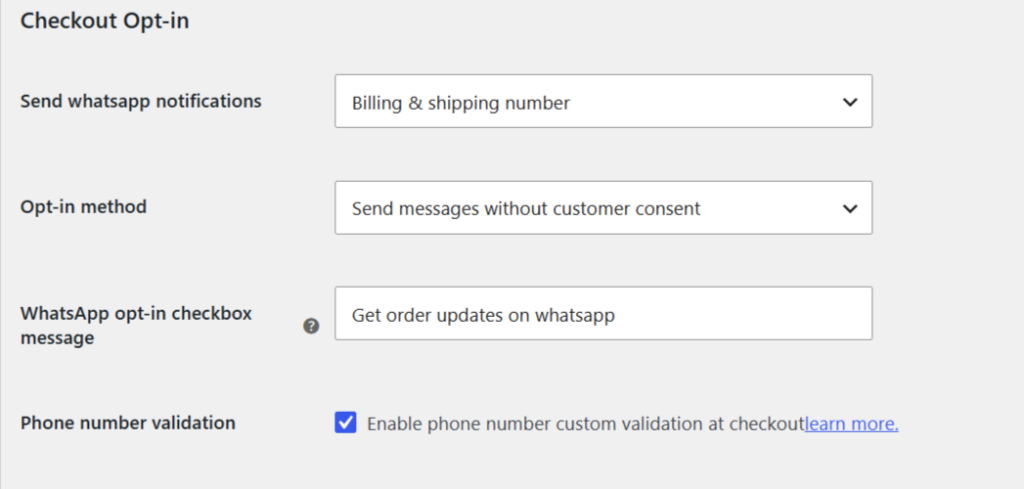
Configure how customers provide their WhatsApp number and consent to receive WhatsApp notifications during checkout. Choose the billing or shipping number to use, enable an opt-in checkbox for customer consent, and validate phone numbers before sending notifications.
How to Create a QR Code
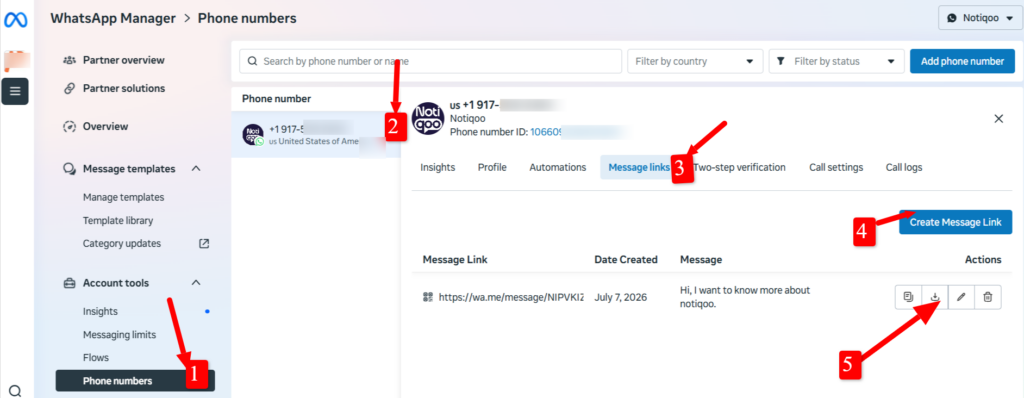
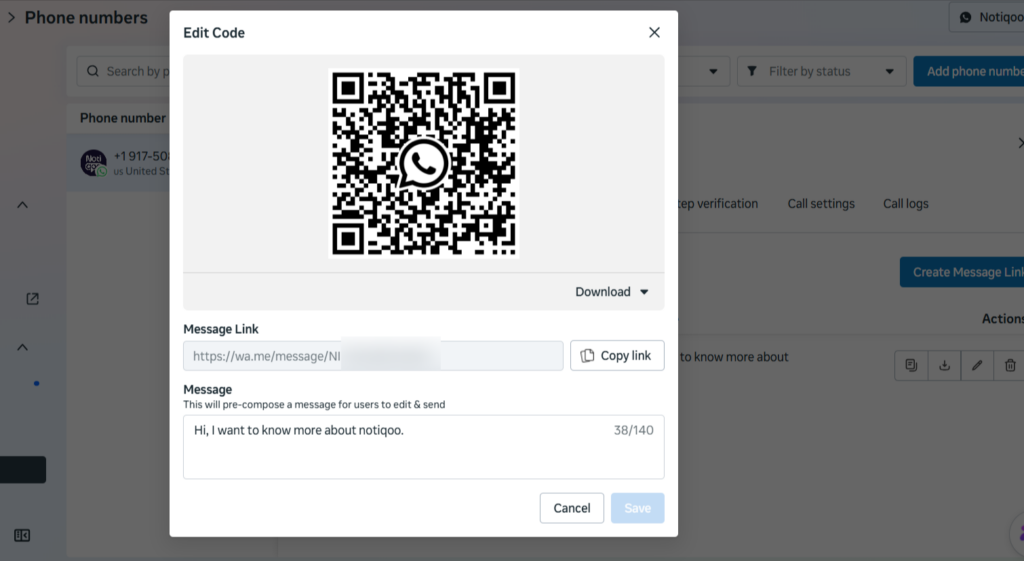
In WhatsApp Manager, go to Phone Numbers → select your number → Message Links → Create Message Link. Add a pre-filled message if needed, then save the message link to generate and download the WhatsApp QR code.
Print & Offline Media:
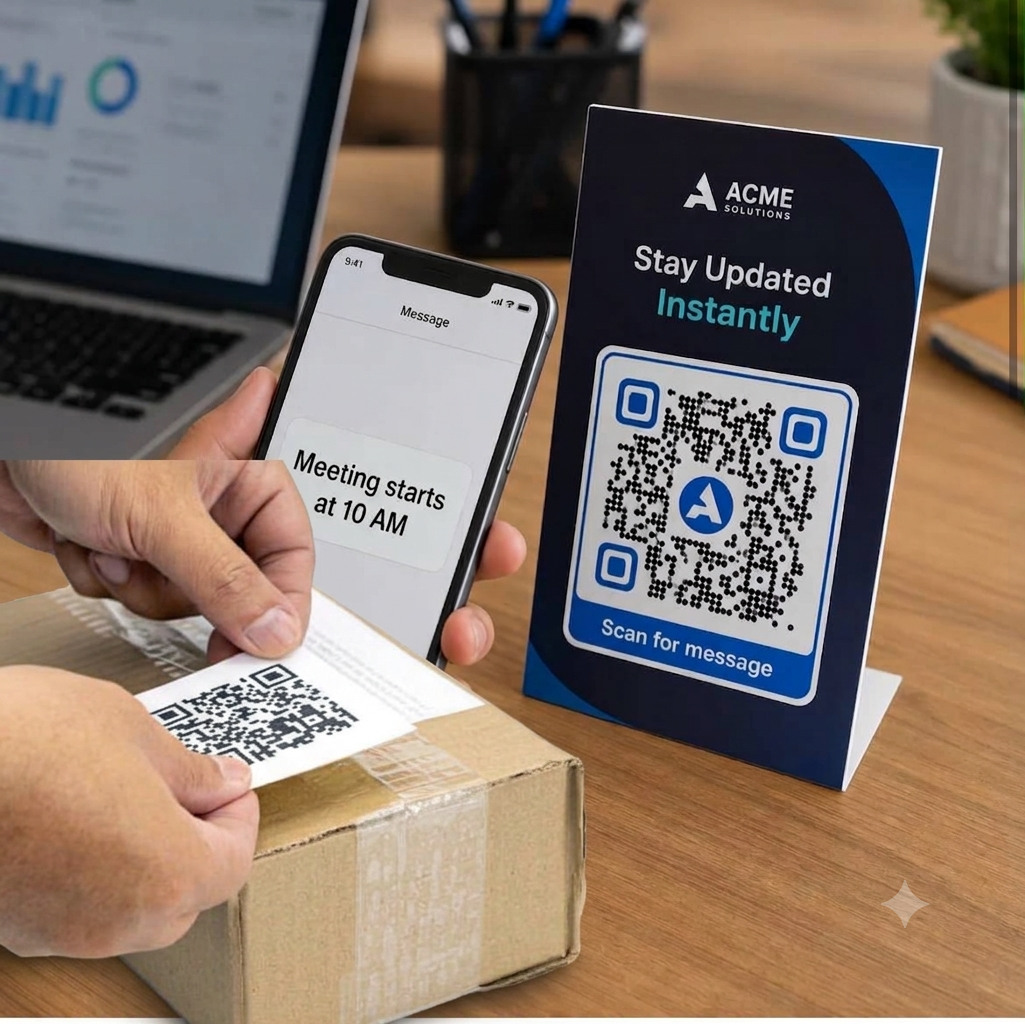
Place codes on product packaging, storefront windows, flyers, restaurant table tents, receipts, and event banners to bridge offline traffic to a digital sales channel.
Digital & Social Channels:
Embed the image or short link in your email signatures, YouTube descriptions, or display it during virtual webinars.
📺 Watch the video tutorial to learn how to set up