
Customize how recent data and privacy settings are shown in Notiqoo chats.
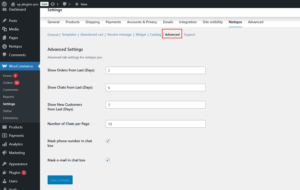
Settings:
- Show Orders from Last (Days):
Enter how many days back to load recent WooCommerce orders. - Show Chats from Last (Days):
Show recent chats within the specified number of days. - Show New Customers from Last (Days):
Show customers who joined within the last given days. - Number of Chats per Page:
Set how many chats appear per page in the chat list. - Mask phone number in chat box:
If enabled, phone numbers in chats will be hidden (e.g., 982155*). Useful for restricting visibility from non-admin users. - Mask e-mail in chat box:
If enabled, email addresses in chats will be partially hidden for privacy.
These privacy options are helpful when multiple team members access the chat dashboard but shouldn’t view sensitive user info.
Data Retention & GDPR Support
These settings help you control how long chat data is kept in your system. You can also choose to automatically delete old chat messages after a certain number of days.
Enable data retention: Turn this ON if you want the system to automatically delete old chat messages.Turn this OFF if you want to keep all chat messages permanently.
Delete chat after: Select the number of days.Any chat older than the selected number of days will be deleted automatically.
Example: If you choose 90 days, any chat older than 90 days will be removed.
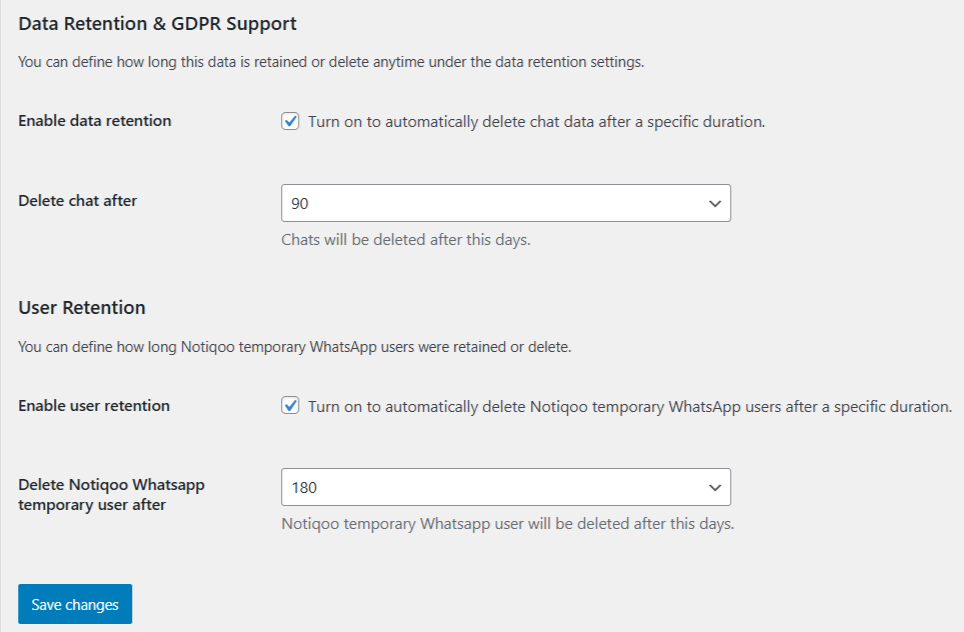
User Retention
These settings help you manage temporary WhatsApp users created through Notiqoo. These are users who messaged you on Notiqoo but are not registered customers in your website.
Enable user retention: Turn this ON if you want the system to automatically delete temporary WhatsApp users after a certain number of days.Turn this OFF if you want to keep temporary users indefinitely.Turning this ON does not affect your real customers.
Delete Notiqoo WhatsApp temporary user after: Choose how many days you want to keep temporary users.After this number of days, the system will automatically delete temporary Notiqoo users only.Your real WooCommerce customers will NOT be deleted.
Example: If you choose 180 days, temporary users older than 180 days will be removed.
- When a new WhatsApp message is received, the Notiqoo plugin checks whether the mobile number is linked to any existing WordPress user.
- If a user exists: all chat messages are saved under that user’s ID.
- If no user is found: Notiqoo automatically creates a temporary user account, and all chats are stored under this new account.
- The temporary user is assigned the whatsapp-user role, which has no capabilities except login—similar to a minimal subscription role. This temporary account will continue to be used until the user registers on the site or the account is deleted.
This plugin deletes only the temporary user accounts created by the Notiqoo plugin — no other WordPress users are affected.
📺 Watch the video tutorial to learn how to set up