
Navigation:
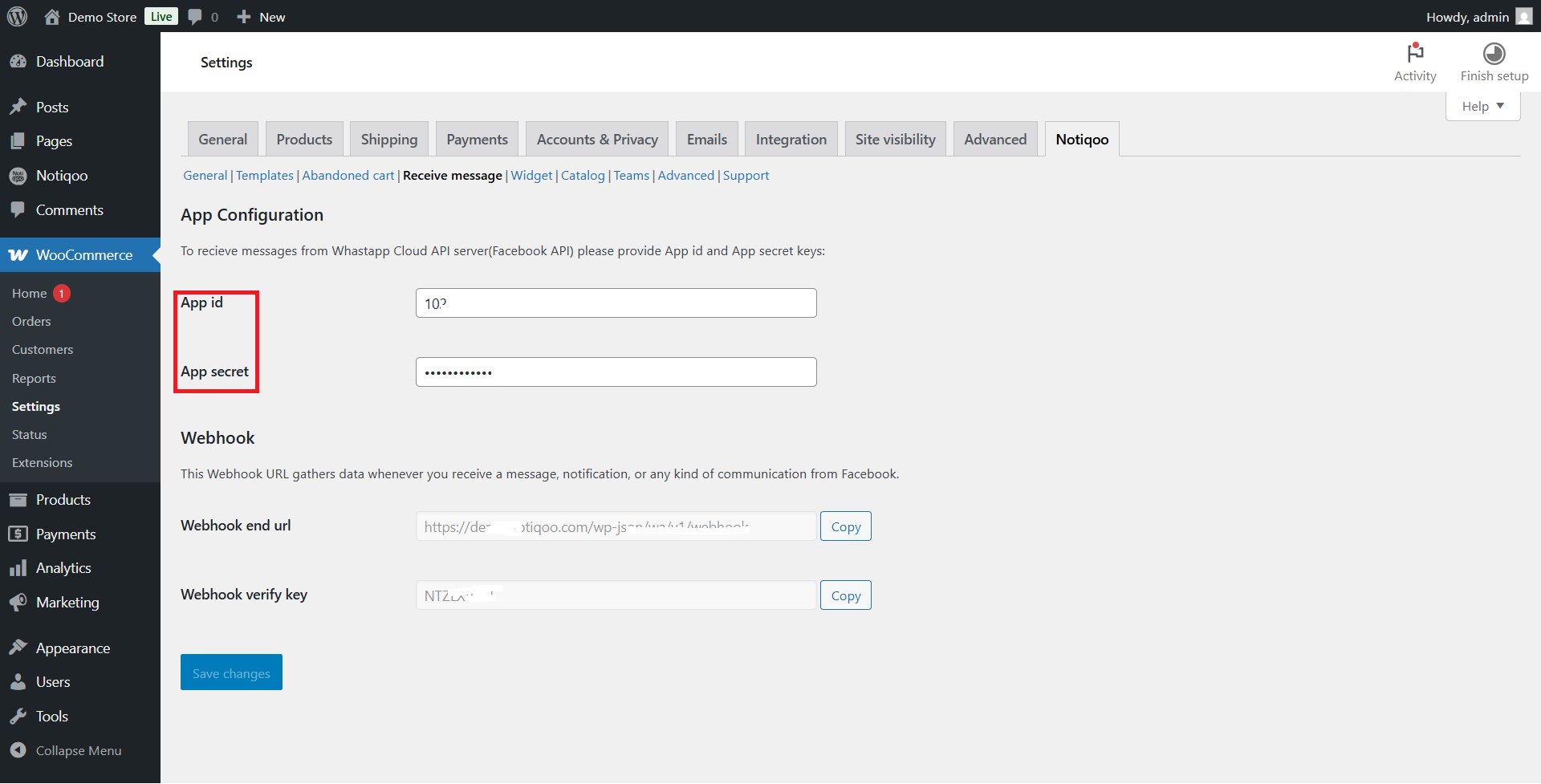
Go to Notiqoo → Settings → Receive Message
To receive messages and establish a secure connection with Meta:
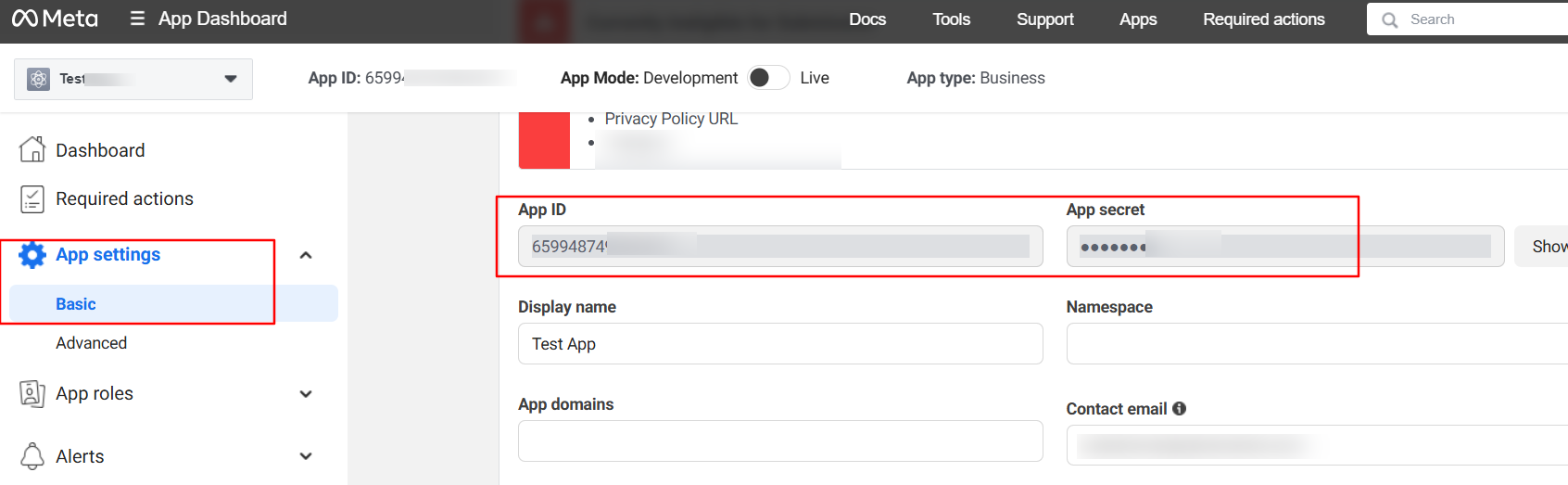
1. Get your App ID and App Secret Key
- Go to Facebook Developer Dashboard
- Select your app -> App Settings → Basic
- Copy the App ID and App Secret, then paste them into Notiqoo
2. Webhook Setup
Notiqoo auto-generates your Webhook Callback URL and Verification Token.
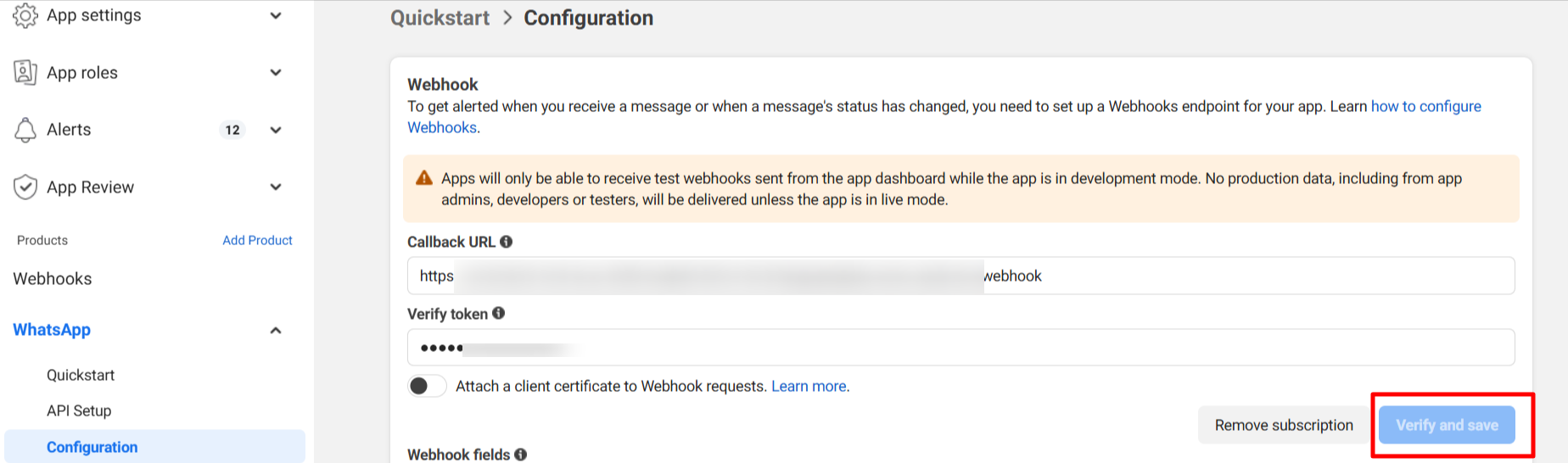
In your Facebook Developer Console:
- Go to WhatsApp → Configuration.
- Click Edit, paste the Webhook URL and Verify Token.
- Click Verify and Save.
The App Secret Key is like your password—it ensures that only Facebook can send messages to your webhook, keeping your integration secure.
🔗 Webhook URLs create a real-time bridge between Facebook and your site, enabling instant message delivery and event tracking.
Webhook URL
The Webhook URL is the endpoint on your site that receives real-time event notifications from Facebook.

Together, the App Secret Key and Webhook provide a secure and real-time connection between your WhatsApp Business API and your WooCommerce store using Notiqoo.
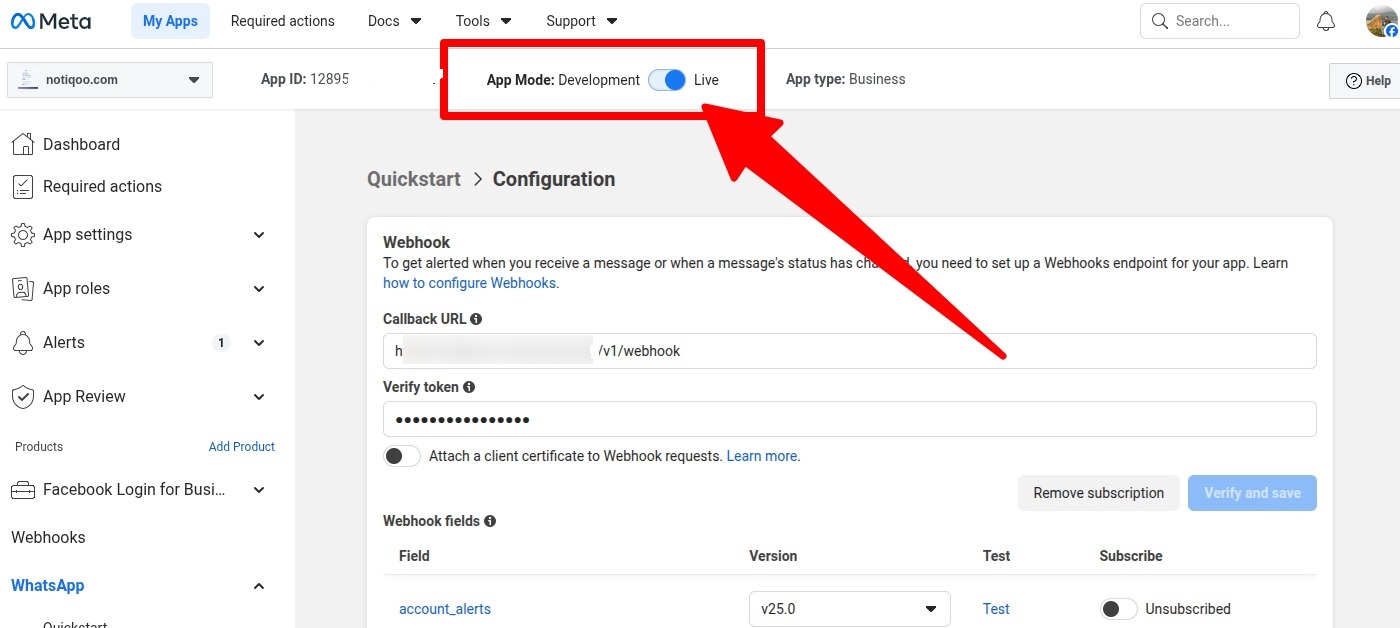
Ensure your app is set to Live mode to enable message sending. Messages will not be delivered while the app is in Development mode.
24-Hour Customer Service Window :
When a customer sends you a message, you get 24 hours from that moment to reply freely.During these 24 hours, you can:
- Answer questions
- Send updates
- Share order details
- Continue the conversation normally
After 24 hours pass, you cannot send regular messages anymore unless:
- The customer messages you again (which reopens the 24-hour window), or you use approved message templates (like order updates, reminders, or alerts).
Notiqoo makes this simple by:
- Tracking the 24-hour window automatically
- Letting you reply quickly within the allowed time
- Using Meta-approved templates when the window is closed
In short:
Customer messages you → You have 24 hours to reply freely
After 24 hours → Only approved template messages allowed
This keeps businesses responsive without spamming users, and Notiqoo ensures your messages always follow Meta’s rules. learn more
📺 Watch the video tutorial to learn how to set up