
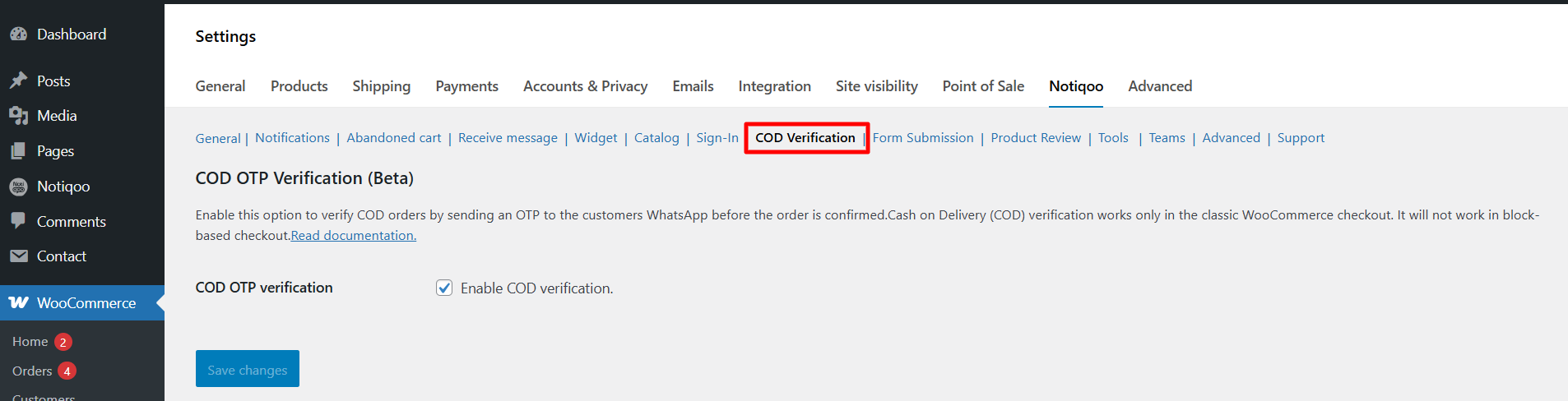
COD orders often face fake or unconfirmed requests.This setting helps reduce fake COD orders by verifying the customer before the order is accepted.Cash on Delivery (COD) verification works only in the classic WooCommerce checkout. It will not work in block-based checkout.
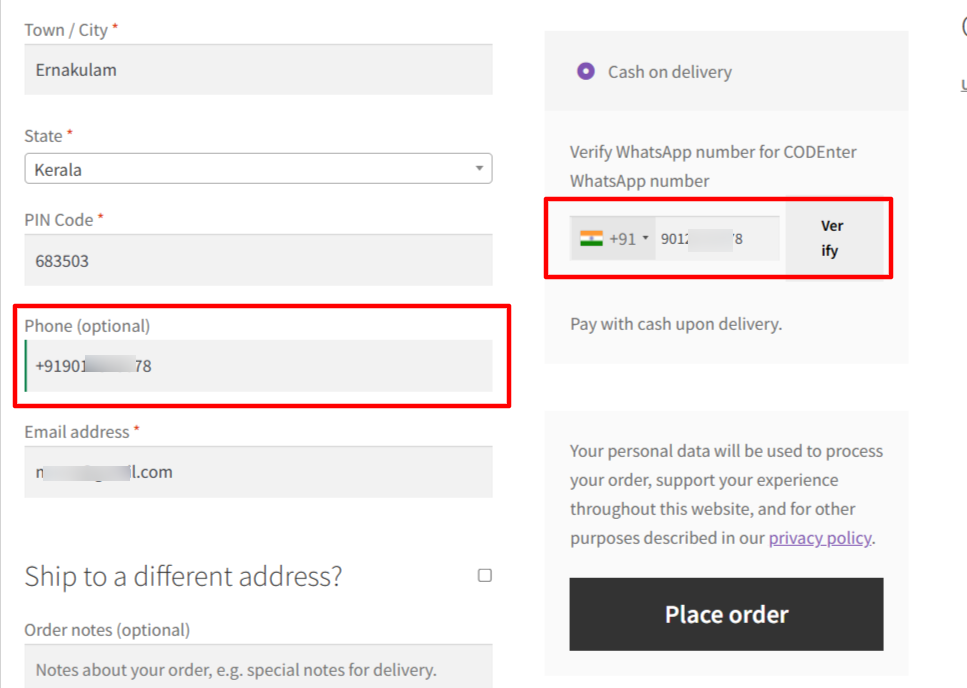
The WhatsApp COD Verification feature helps store owners confirm Cash on Delivery orders automatically through WhatsApp. This ensures only genuine customers place COD orders—saving time, reducing RTO (Return to Origin), and improving delivery success rates.
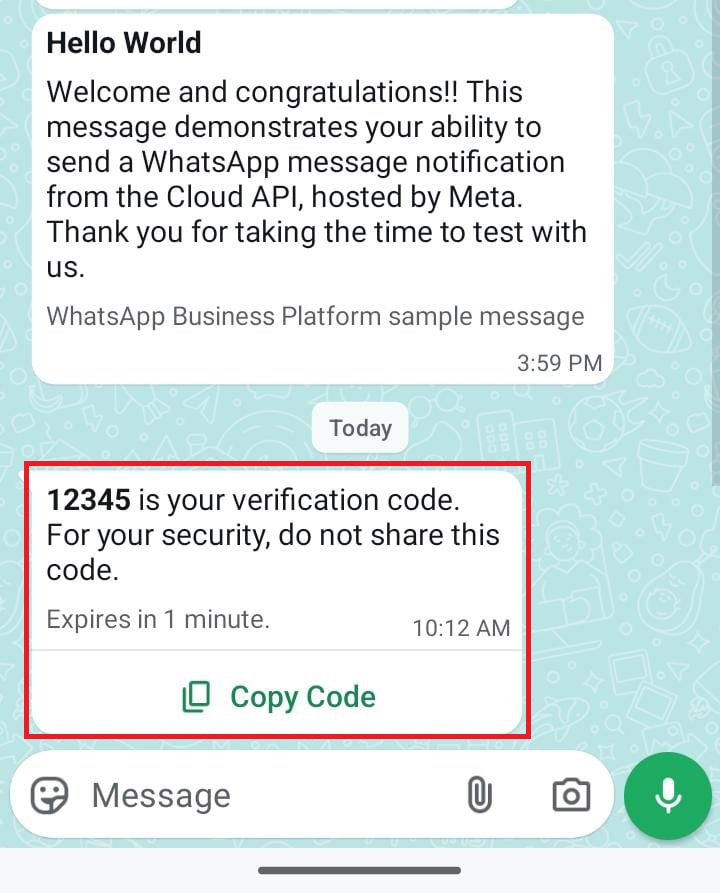
COD OTP Verification
When enabled, Sends an OTP on WhatsApp to customers before confirming Cash on Delivery orders.
How It Works
1. Customer Selects Cash on Delivery
When the buyer chooses COD at checkout, the system automatically sends a WhatsApp OTP to their registered mobile number.
2. Customer Enters the OTP
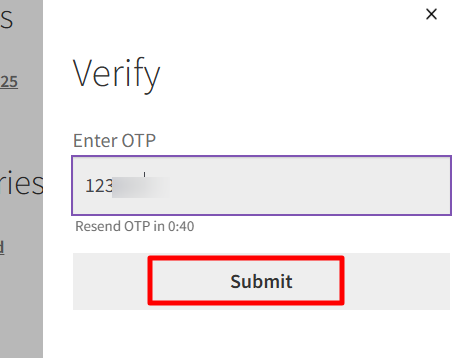
Customer must enter the OTP in the checkout page. If OTP matches, the customer can complete the order.
If OTP is wrong, checkout will not continue until a correct OTP is entered.
3. Order Proceeds Safely
After OTP verification, the order is placed normally, ensuring the number is real and the COD request is genuine.
Why This Feature is Useful
- Ensures customer’s mobile number is valid
- No manual checking required
- Fully automated OTP system
- Prevent fake Cash on Delivery orders
- Reduce RTO with WhatsApp confirmation
- Automated COD confirmation system
- WhatsApp checkout verification for WooCommerce
- Improve delivery success and reduce losses