Enable this option to receive WhatsApp notifications whenever someone submits a form on your website.
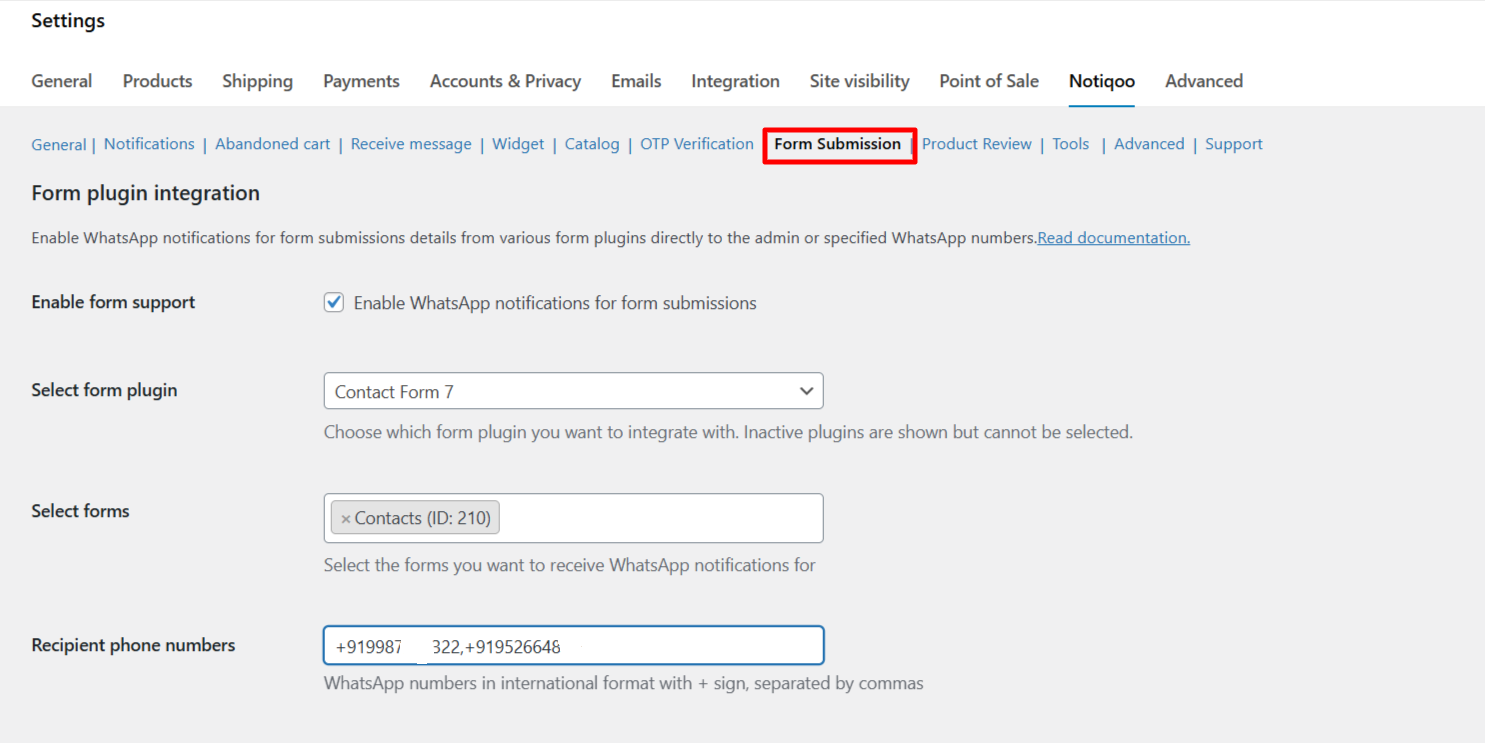
Enable form support
Turns on WhatsApp alerts for form submissions.Helps you get instant updates from your website forms directly on WhatsApp.
Select form plugin
Choose which form plugin you are using (e.g., Contact Form 7).
- Note: Inactive plugins will appear but cannot be selected.
Select forms
Select the specific forms for which you want to receive WhatsApp notifications.
- Example: Contact Form 7 → Contact form 1
Recipient phone numbers
Enter the WhatsApp numbers that should receive the notifications.Add one number separated by commas, including country code.
- Example:
+911234567890,+919874564321
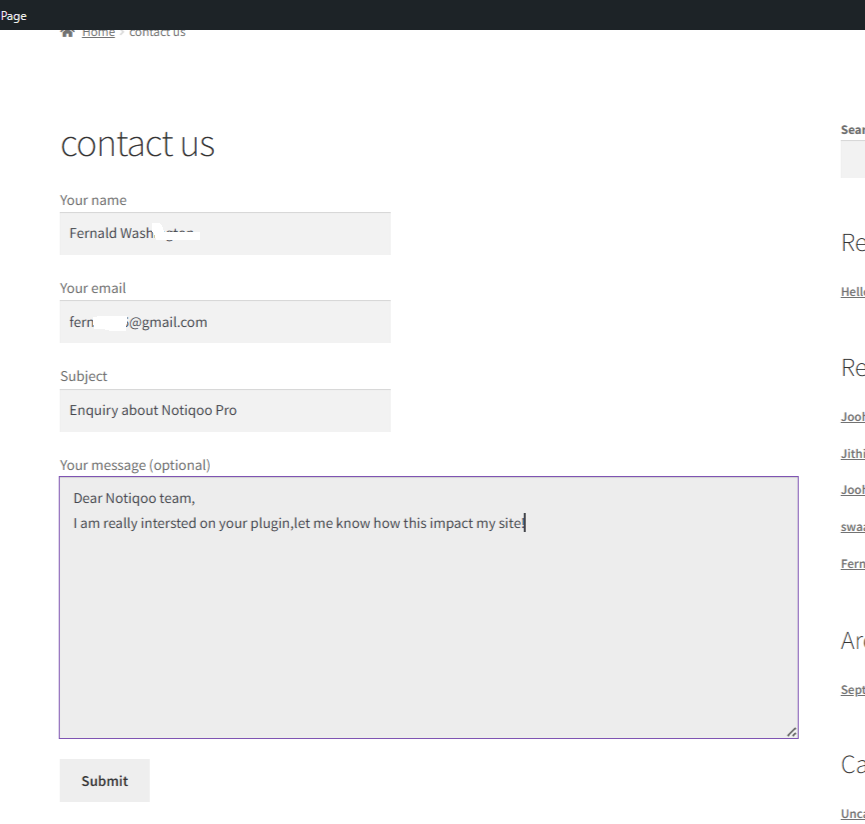
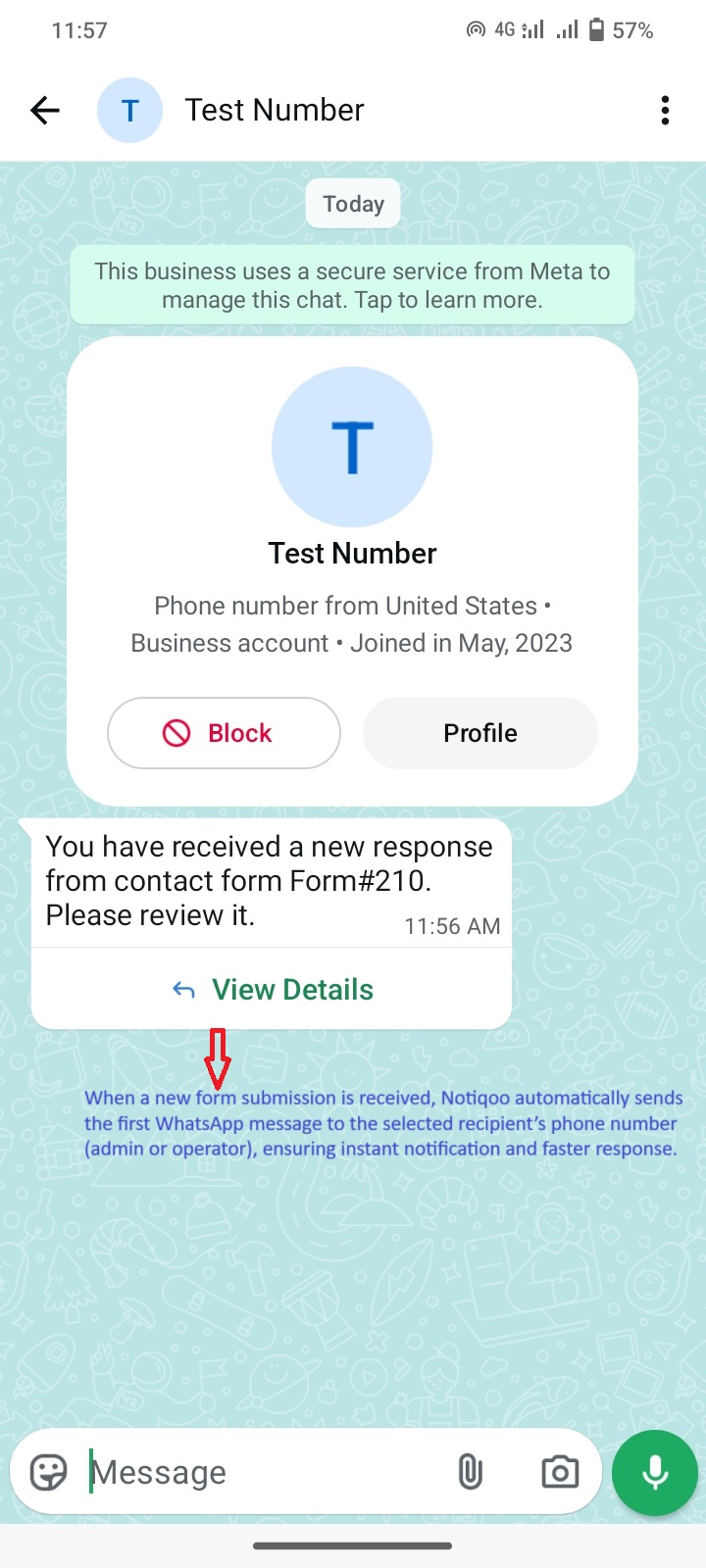
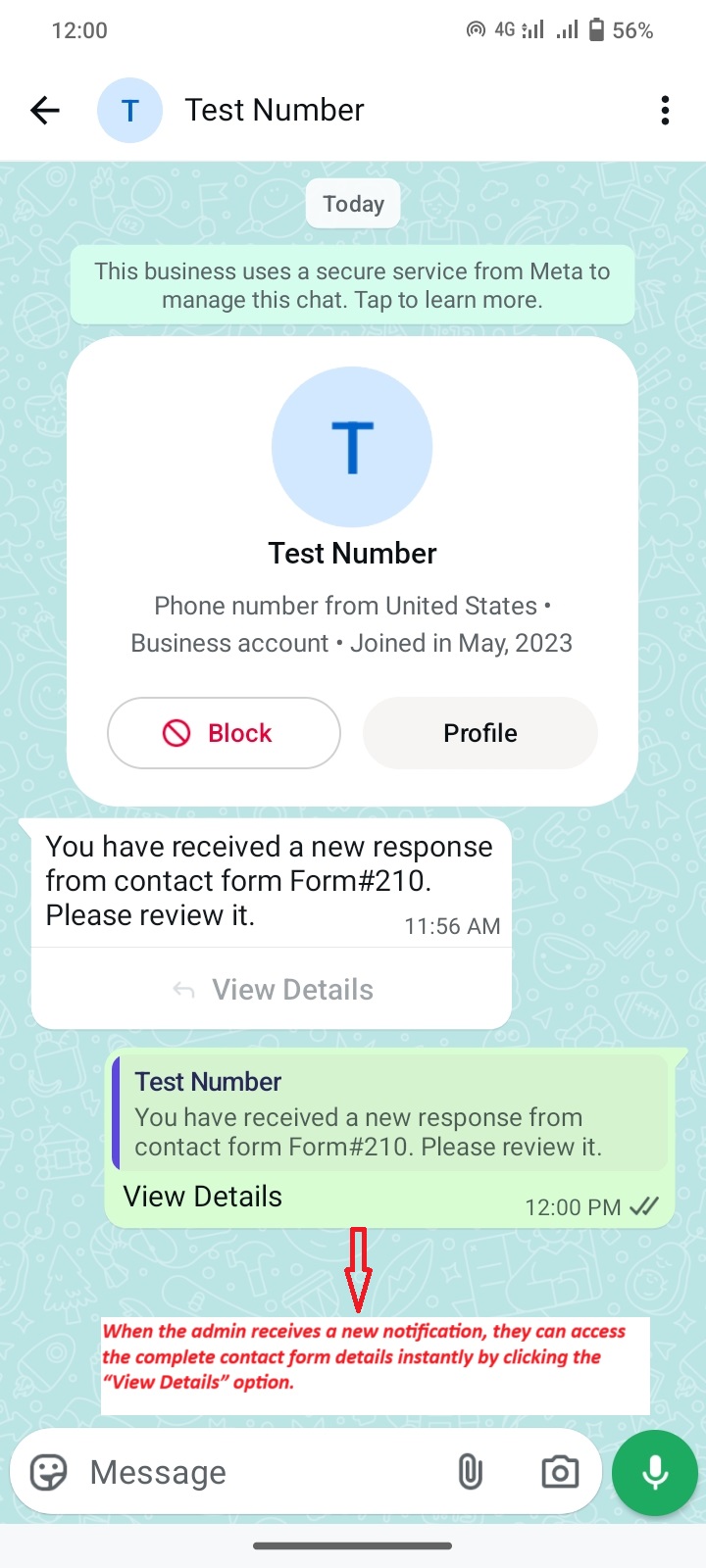
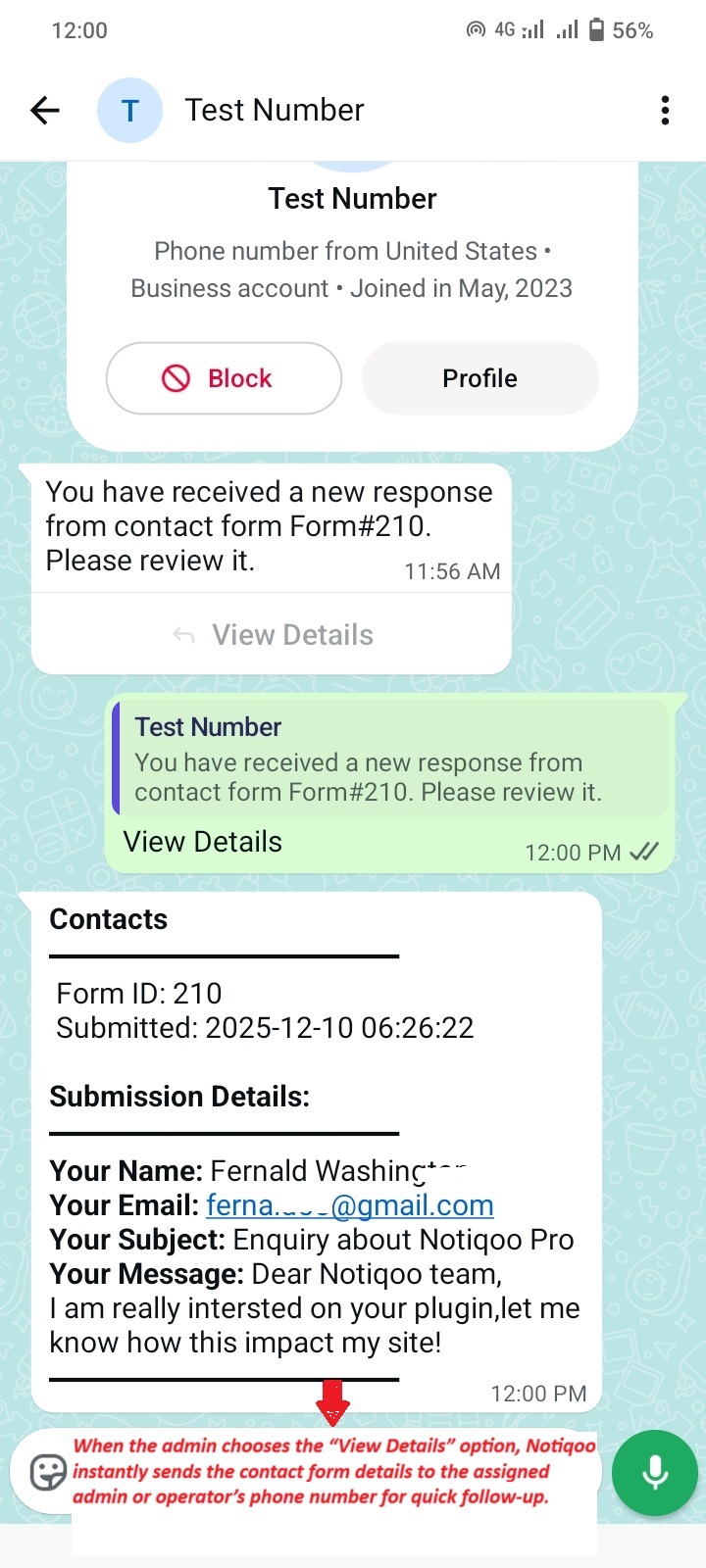
How It Looks on the User Side (User View)
This section helps users understand exactly how your feature appears and works on the customer side.