These options allow your store to send OTP (One-Time Password) messages through WhatsApp using Notiqoo.
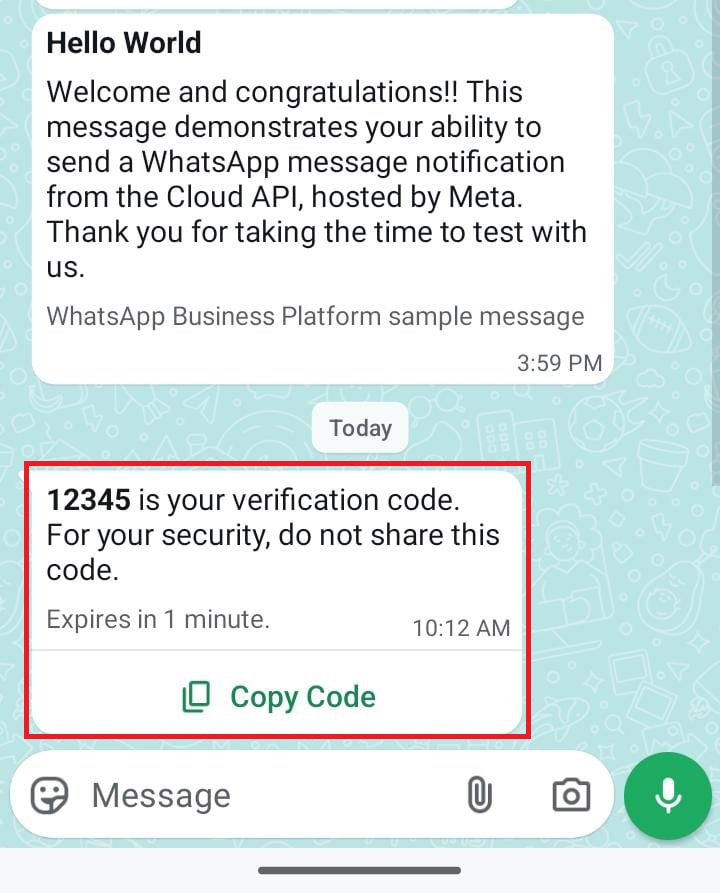
This helps verify customers during login, registration, and Cash on Delivery (COD) orders, ensuring the person placing the order is genuine.

1. Enable Login with OTP
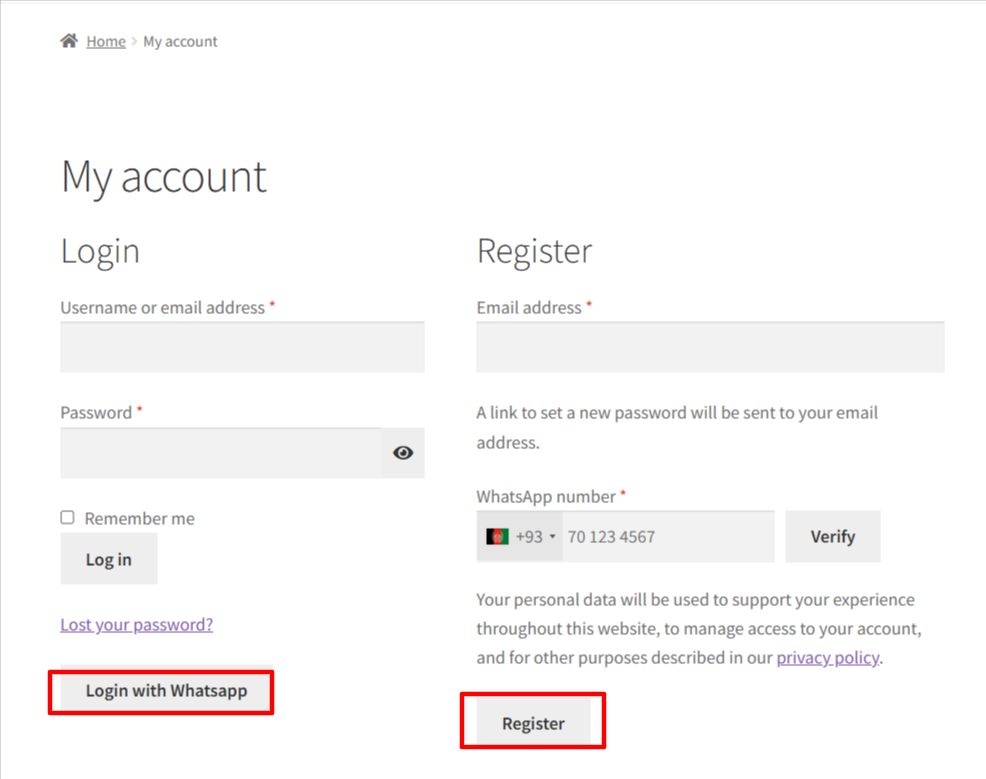
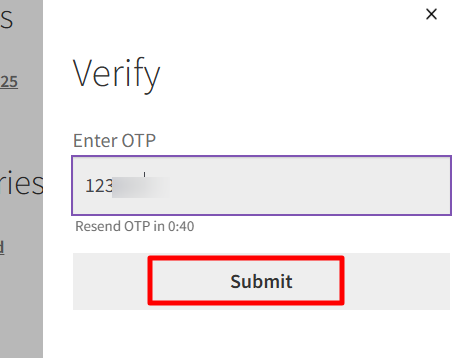
Turn this on if you want customers to log in using an OTP sent to their WhatsApp.Shows a “Login with OTP” option on your WooCommerce login page. Helps customers log in quickly and securely without remembering a password.
2. Enable Registration with OTP
Turn this on if you want to verify new customers during account creation. Adds OTP verification during new account registration. Ensures only real users with valid WhatsApp numbers can create an account.
What this feature does
- Allows customers to log in with a WhatsApp OTP
- Allows new customers to register using WhatsApp OTP
- No passwords needed
- Faster and safer login process
Where this option appears
- My Account page (WooCommerce login screen)
- Classic Checkout page (login section before placing an order)
Customers will see a “Login with WhatsApp” or “Register with WhatsApp” button.
Why it is useful
- Improves customer convenience
- Reduces cart abandonment due to forgotten passwords
- Ensures only verified WhatsApp numbers are used
- Boosts successful logins and registrations
- No extra setup needed
When Sign-In OTP Verification for Login/Registration is enabled, this feature works automatically—no manual setup.
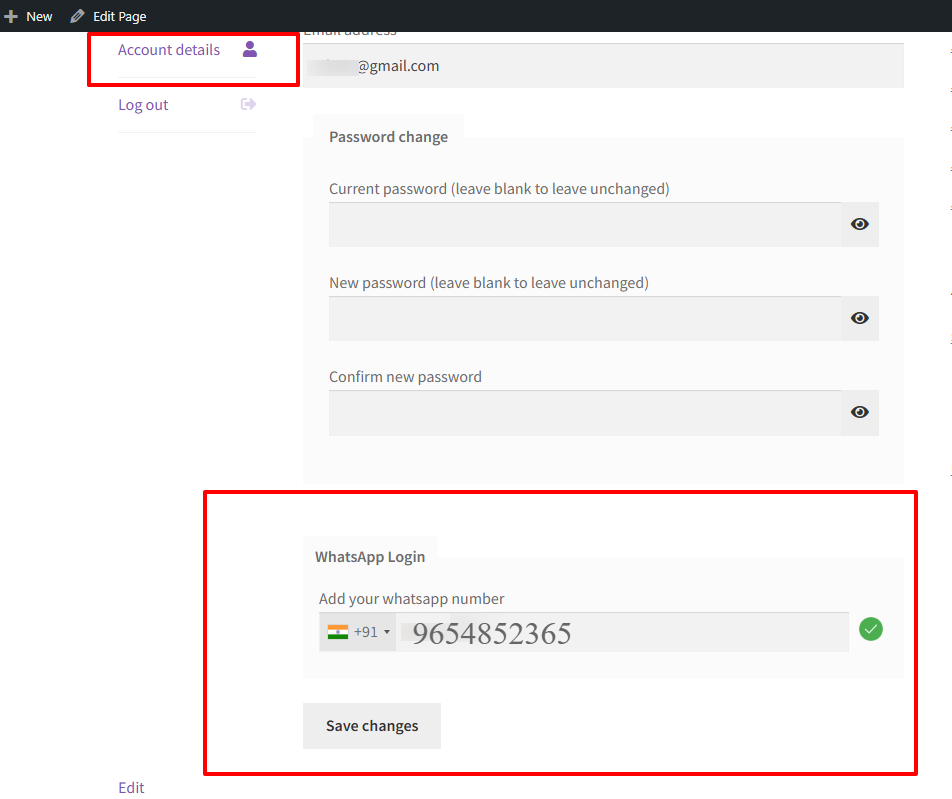
How Existing Users Can Log In Using WhatsApp OTP
Already registered users don’t need to create a new account or worry about login issues. They can easily add a WhatsApp login number from My Account → Account Details. Once the number is added, users can securely sign in using WhatsApp OTP verification without using a password.